


If you’re researching this for a parent, you’ve probably already noticed the same thing most families notice: the scary part usually isn’t one big event. It’s the slow accumulation of small risks. A missed dose here, a stumble there, a phone call that goes unanswered for a day. Most seniors want to stay in their own home for as long as they reasonably can, and the right technology can quietly cover a lot of that ground without anyone having to move or hire round the clock help.
The trick is not buying everything at once. A lot of families get excited, order five devices, and three of them end up in a drawer because nobody had time to set them up properly or because Grandma found the app confusing. Below is a rundown of what’s out there right now, organized by the problem it solves, with real product examples so you know where to start looking.
Smart Home Devices Worth Considering
These are the devices that quietly reduce risk in the background, without asking a senior to change how they live.
Lighting
Motion activated night lights and smart bulbs can turn on automatically when someone gets up in the middle of the night, which matters because a huge share of falls happen on the walk to the bathroom in the dark. Philips Hue and Wyze both make affordable smart bulbs that can be set to trigger from a motion sensor, and some newer LED under cabinet lights do this without needing a hub at all.
Doors and Locks
A Ring or Nest video doorbell lets someone see who’s outside before opening the door, which helps cut down on scams targeting older adults. Smart locks like the August Wi Fi Smart Lock or Schlage Encode let a family member unlock the door remotely in an emergency, and they log every entry so you can see exactly when someone came and went.
Safety Sensors
Nest Protect (smoke and carbon monoxide) and Flo by Moen or Govee water leak sensors will text or call a family member the moment something goes wrong, even if nobody is physically in the house to hear an alarm. A Google Nest or Ecobee thermostat can also be checked and adjusted remotely, which is genuinely useful for a parent who keeps the house either freezing or sweltering because the thermostat confuses them.
Voice Assistants Are Usually the Easiest Starting Point
If you only do one thing on this list, this is probably it. An Amazon Echo, Google Nest Hub, or Apple HomePod lets someone talk out loud instead of typing on a phone or squinting at tiny buttons. Say ‘set a reminder to take my pills at 9,’ and it just happens. Ask it to call a daughter by name, and it dials without anyone needing to find a contact in a phone book.
This matters more than it sounds like it should for someone dealing with arthritis or vision changes. Typing on a small screen can be genuinely painful or frustrating. Talking out loud usually isn’t. Families who start with a voice assistant tend to have an easier time getting a senior comfortable with technology in general, because there’s really nothing to learn.
Medical Alert Systems
These have come a long way from the old commercials. Companies like Life Alert, Medical Guardian, and MobileHelp now offer pendants and wristbands with automatic fall detection, meaning the device can sense a fall and call for help even if the wearer can’t press the button. Many also include GPS, so the system still works if someone falls while gardening or walking the dog instead of sitting in a living room chair.
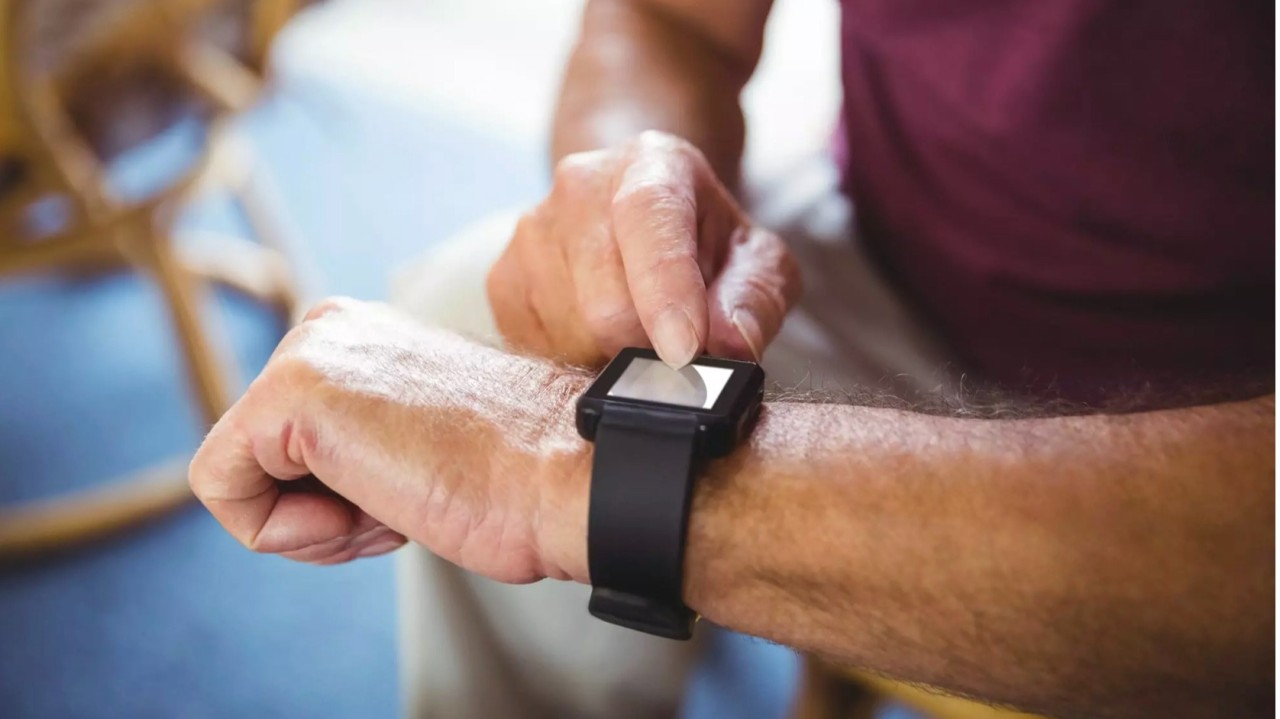
The Apple Watch also has built in fall detection and an emergency SOS feature, which some families prefer since it doesn’t look like a medical device and their parent is more likely to actually wear it every day. When comparing options, pay attention to monthly cost, whether fall detection is automatic or requires pressing a button, how good the GPS coverage is outside the home, and how long the battery lasts, since a device nobody remembers to charge protects no one.
Staying Connected
Isolation is a real health risk, not just an emotional one. A GrandPad or an Amazon Echo Show makes video calling simple enough that a senior doesn’t need to remember a password or figure out which app to open. A Skylight Frame or Aura digital photo frame updates automatically whenever family members send new photos, so a parent gets to see new pictures of grandkids without anyone needing to print anything or mail a card.
None of this replaces an actual visit. What it does is fill the space between visits and make it easier to check in on a random Tuesday, which tends to strengthen the relationship rather than substitute for it.
How to Actually Choose
- Instead of trying to solve everything at once, pick the one problem that worries you most and start there.
- Falls or mobility concerns: start with a medical alert pendant or an Apple Watch with fall detection.
- Medication concerns: start with an automated pill dispenser (more on this in the second post).
- Isolation: start with a simple video calling device like a GrandPad or Echo Show.
- Getting around town: look into senior specific rideshare programs, often available through a local Area Agency on Aging.
A device that actually gets used beats a more advanced one sitting in a box. Introduce one thing, let it become a habit, then add the next.
What Things Cost, and What to Watch Out For
Prices vary a lot. A smart plug or basic video doorbell might run under fifty dollars with no ongoing fee. A monitored medical alert system usually runs somewhere between twenty and sixty dollars a month depending on features. Before buying anything, check whether it requires a subscription, what happens to any data it collects, especially video or location data, and whether the company publishes a clear privacy policy anywhere on its site. If a product can’t tell you in plain language who sees your data, that’s worth a second thought.
The Short Version
- Smart home devices quietly cut down fall risk, fire risk, and water damage.
- Voice assistants like Alexa or Google Nest Hub are usually the easiest way to get a senior comfortable with technology.
- A medical alert system with automatic fall detection is one of the highest value purchases for someone living alone.
- Communication tools like a GrandPad help with isolation but don’t replace real visits.
Pick the biggest problem first. Add one thing at a time.
Frequently Asked Questions
What is the best technology for a senior living alone?
A medical alert system with automatic fall detection, like those from Medical Guardian or MobileHelp, is usually the top priority for someone living alone, since it can call for help even if the person can’t press a button or reach a phone. Pairing it with a voice assistant like Alexa for daily reminders and a smart lock for emergency access covers most of the basics.
Are voice assistants easy for seniors to use?
Generally, yes. Devices like the Amazon Echo and Google Nest Hub respond to spoken requests instead of requiring someone to navigate a screen or remember an app, which makes them a good fit for people dealing with arthritis, tremors, or vision changes.
How much does this kind of technology usually cost?
It ranges quite a bit. A basic smart plug or video doorbell might cost under fifty dollars with no subscription, while a monitored medical alert system typically runs twenty to sixty dollars a month depending on the features included, like fall detection or GPS tracking.
Can technology really help someone avoid moving into assisted living?
It can’t replace hands on care, but it can extend the amount of time someone safely stays at home by addressing the specific things that usually force a move, like undetected falls, missed medication, and isolation.
Where should a family start if this all feels overwhelming?
Pick the single biggest concern right now, whether that’s falls, missed medication, or loneliness, and choose one device that solves that specific problem before adding anything else. Starting small makes it much more likely the technology gets used.